ConceptDraw PROJECT gains ability to exchange data with MS Project
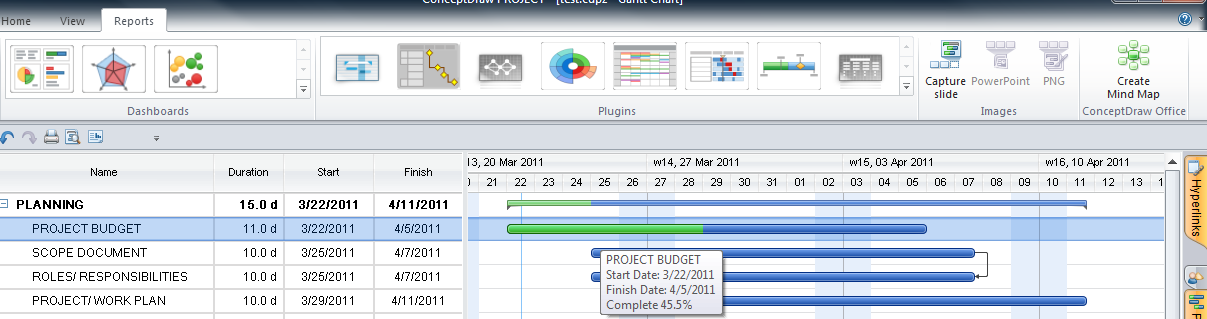
San Jose, California (PRWEB) 23, March 2011 - CS Odessa today announced that ConceptDraw PROJECT v6 now has the ability to import and export Microsoft Project XML files, with new PROJECT EXCHANGE. Because of this ability to exchange data between ConceptDraw PROJECT and MS Project; users have increased flexibility on how to exchange project information with all members of the project team. The exchange of project data across different project applications keeps everyone informed and allows for quality collaboration among team members, as well as 3rd parties that have involvement in your project.
The ability to exchange project information is key to a project’s success. ConceptDraw PROJECT 6 has the ability to save to a MS Project XML file format so that ConceptDraw PROJECT files can be shared with users of MS Project (2003, 2007, and 2010) as well as any other project management tools that can accurately import MS Project xml file format. This allows users of ConceptDraw PROJECT 6 and ConceptDraw Office 2 (contains ConceptDraw PROJECT 6) to generate project content that can be shared with all team members.
Project participants also have the ability to import MS Project files into ConceptDraw PROJECT 6 and ConceptDraw Office 2. This gives users an excellent alternative on the way they manage projects, and assists in the interoperability of project information between team members who have Macintosh and PC computers.
The ability to exchange data between ConceptDraw Office and MS Project is a big plus for project members because they can then use the other the other project tools that are part of ConceptDraw Office. As an example, ConceptDraw MINDMAP 7, part of ConceptDraw Office 2, can be used as a project front- end to brainstorm, build processes, identify contingencies and organize information for presentations to brief team members and stakeholders. The PROJECT EXCHANGE can be found in the CS Odessa ConceptDraw Solution Park.
CS Odessa provides a range of professional project software tools that assist you during every stage of your project. ConceptDraw Office uses powerful ConceptDraw INGYRE2 technology to make all tasks as easy as pushing a few buttons. The top to bottom integration of ConceptDraw Office, which includes the innovative standalone ConceptDraw PROJECT 6 product, are valuable tools to help Project Managers work towards their organization’s success.
In addition, CS Odessa also provides many project management solution add-ins that can be downloaded from ConceptDraw Solution Park. The combination of ConceptDraw Product and ConceptDraw Solution Park, from CS Odessa makes for an unbeatable value in project management software tools.

